Just ask.
It’s done.
Your helper finds, compares and watches sites on its own, and messages you when it’s done. In your browser, in the app or in Telegram.
3 days free, no card needed. Sign in with Google or Telegram. No AI account needed.
Chatbots answer. BotBot does.
It doesn’t stop at advice. It opens the sites, compares, fills in and sends you the finished result.Three steps and it’s done
Write a task
Type it or say it, the way you’d ask a person. Add a file or a photo if it helps.
It does the work
Your assistant has its own computer with a browser. It opens sites, reads, compares and fills in forms while you get on with your day.
Get the result
The answer lands in your chat: a short summary, a table, a document or a link. When it needs your answer, it asks with buttons, and the desktop app shows a notification.
What you can hand off
Use your own words. Here’s where people usually start.
For you
Watch London to Lisbon flights on Dec 12 and tell me when one drops below £90every 3 hours
Every morning, send me new remote product designer jobs paying over $80kdaily at 09:00
Here’s my bank statement. Total my spending by category in a spreadsheetfile in reply
Find three cafés near my office with a lunch deal under £12 and put them in a tablevoice message
For work
For freelancers and small businesses
Every hour, check for new logo design jobs over $300 and send me the good onesevery hour
Find 30 yoga studios in Manchester and list their websites, phones and pricesExcel file
Not one helper, a whole team
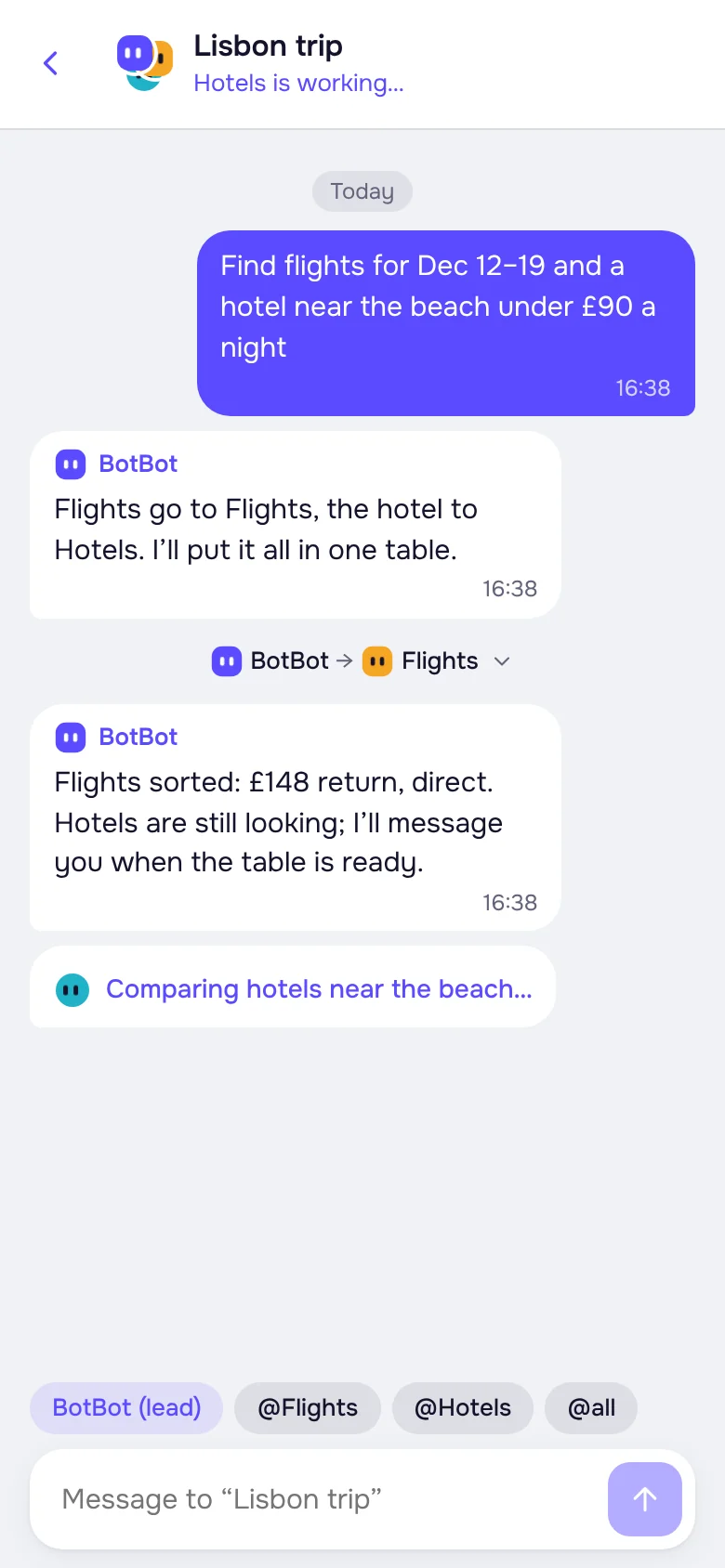
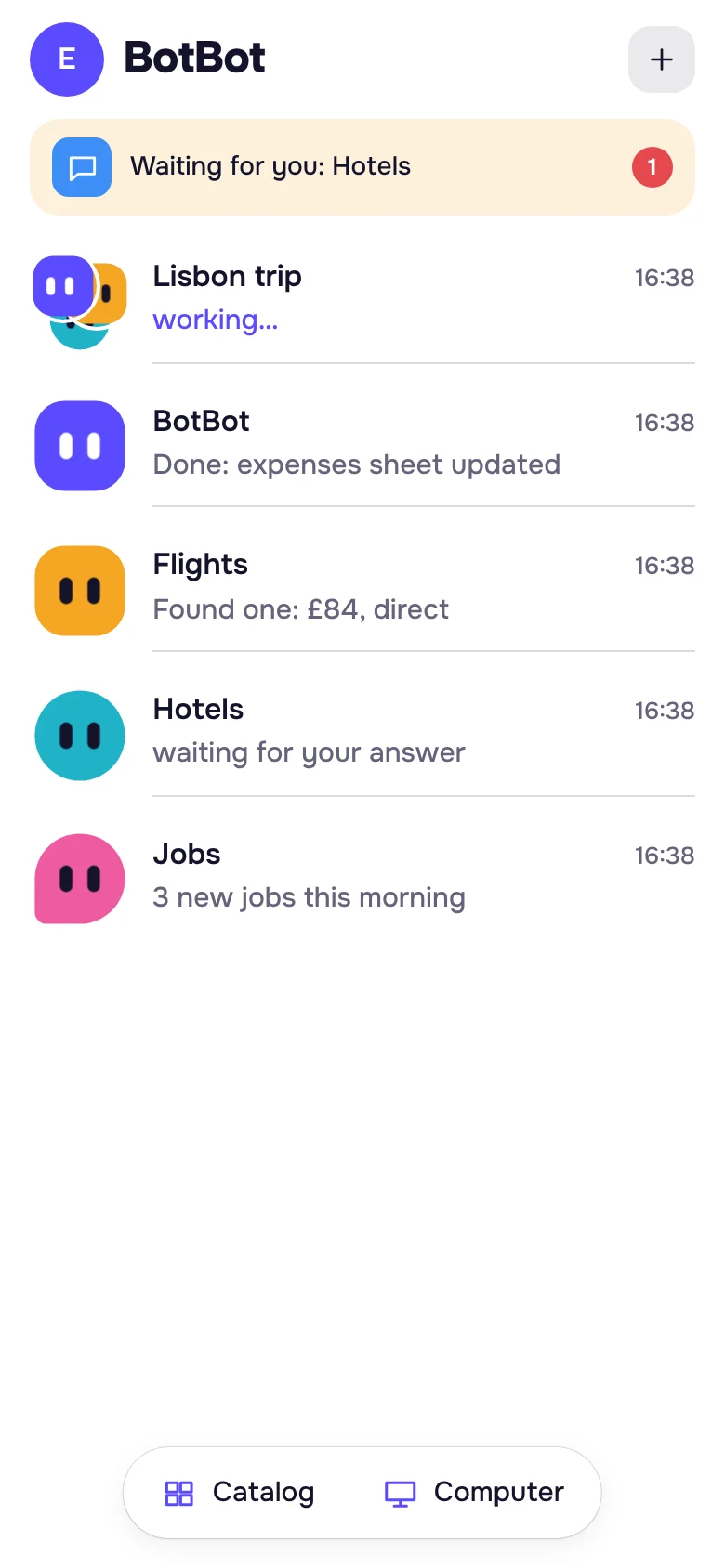
Set up a helper for each job: one watches flights, another looks for work, a third keeps your expenses sheet. Each has its own chat, memory and skills.
Regular gives you up to 10 helpers and 3 tasks at once; PRO up to 20 and 6.
Ready-made helpers, skills and your services
Don’t want to explain from scratch? Pick something ready-made in the app’s catalog.

Ready-made helpers
Morning brief, Flights, Jobs, Price drops, Forgotten subscriptions, Inbox digest, Trip planner and more. One tap, and it asks you what to look for.
Your services
More than 40: email and calendar, notes, tasks, files, design and Gamma presentations. Connect by signing in to your account, no keys.
Skills
Word, Excel, PDF and presentations, clear tables and charts are built in. Add your own and give a skill to all your helpers or just one.
Teach it your task
Show the job once on its computer screen, and your helper remembers how it’s done. Next time just say “do it like last time”.
Works while you sleep
Its computer is on 24/7. Say “every morning” or “every hour” and it does the task on its own, messaging you only when there’s news. Every task keeps a run history, and you change the schedule in the app in a couple of taps.
History · Flight price to Lisbon
You see everything, you decide
In your browser, in the app or in Telegram
One account: sign in with Google or Telegram. Your chats, helpers and files are the same everywhere.
Free from day one, or bring your own AI
Nothing to set up: a free AI is already on. If you have your own account, connect it in a couple of taps and your assistant will run on it. Different helpers can use different AIs. And if your AI hits its limit, your helper keeps going on the free one until the limit resets.
One subscription, everything included
- Its own computer with a browser, on 24/7
- Up to 10 helpers, 3 tasks at once
- Regular tasks and projects
- Free AI or your own
- Catalog, Vault, built-in VPN, apps
- Everything in Regular
- Up to 20 helpers, 6 tasks at once
- A more powerful computer: faster on heavy sites and big files
The first 3 days are free, no card needed: everything as in Regular, one per person, then decide whether to subscribe. Pay right in Telegram: by card through Tribute or with Telegram Stars. Cancel any time; your subscription runs to the end of the paid month.
Common questions
Do I need my own ChatGPT or Claude?
No. A free AI works from the start. If you like, connect your own later: ChatGPT, Claude, Copilot or SuperGrok.
Is it safe to give it my passwords?
You don’t type passwords into the chat. Keep them in the Vault in the app: the assistant fills a password in on the site but never sees it. Or open its computer screen and sign in to the site yourself. Every user gets their own separate computer.
Will it ask before buying anything?
Yes, by default it asks with Allow and Decline buttons before acting on a site. You can allow some actions in advance, and then it stops asking about them. Turn the questions back on in the app.
What can’t it do?
It doesn’t get around site protection: if a site asks to confirm you’re not a robot, your assistant asks you to do it on its screen. It doesn’t make phone calls, and it can make mistakes, so double-check anything important.
Where does it work?
In any browser and in the apps, Telegram is optional. Pay with Telegram Stars or by card through Tribute.
Can I try it for free?
Yes, the first 3 days are free and no card is needed: sign in with Google or Telegram and press “Try”, and your computer is ready in a couple of minutes. If you don't subscribe afterwards, the computer is deleted and the files of its work folder wait for 7 days. One free trial per person.
How do I cancel?
Any time, in Tribute or under Stars in your Telegram settings. Your subscription runs to the end of the paid month.
What happens to my files after I cancel?
The computer switches off and waits 7 days: come back and everything is where you left it. After that it is deleted. To delete everything right away, go to Subscription → Delete account in the app.
How many helpers can I have?
Up to 10 on Regular, 3 of them working at once. Up to 20 and 6 on PRO. Other tasks wait in a queue and start on their own.
Does my phone or computer need to stay on?
No. Your helpers work on their own computer in the cloud, even when your devices are off. The apps are just for convenience.
How is this different from a regular chatbot?
A regular chatbot replies with text. BotBot has its own computer with a browser, so it does the task on the sites itself and sends you the finished result.
Send your first task
Sign in with Google or Telegram and hand it something simple. Your first result arrives in a couple of minutes.
or open it in Telegram