Features

Everything BotBot can do

Each feature in detail: what it does, where to find it and what to know. The short version is on the home page.

Team

A helper for every job

Each helper has its own chat, memory, skills and AI. They work at the same time and pass work to each other.
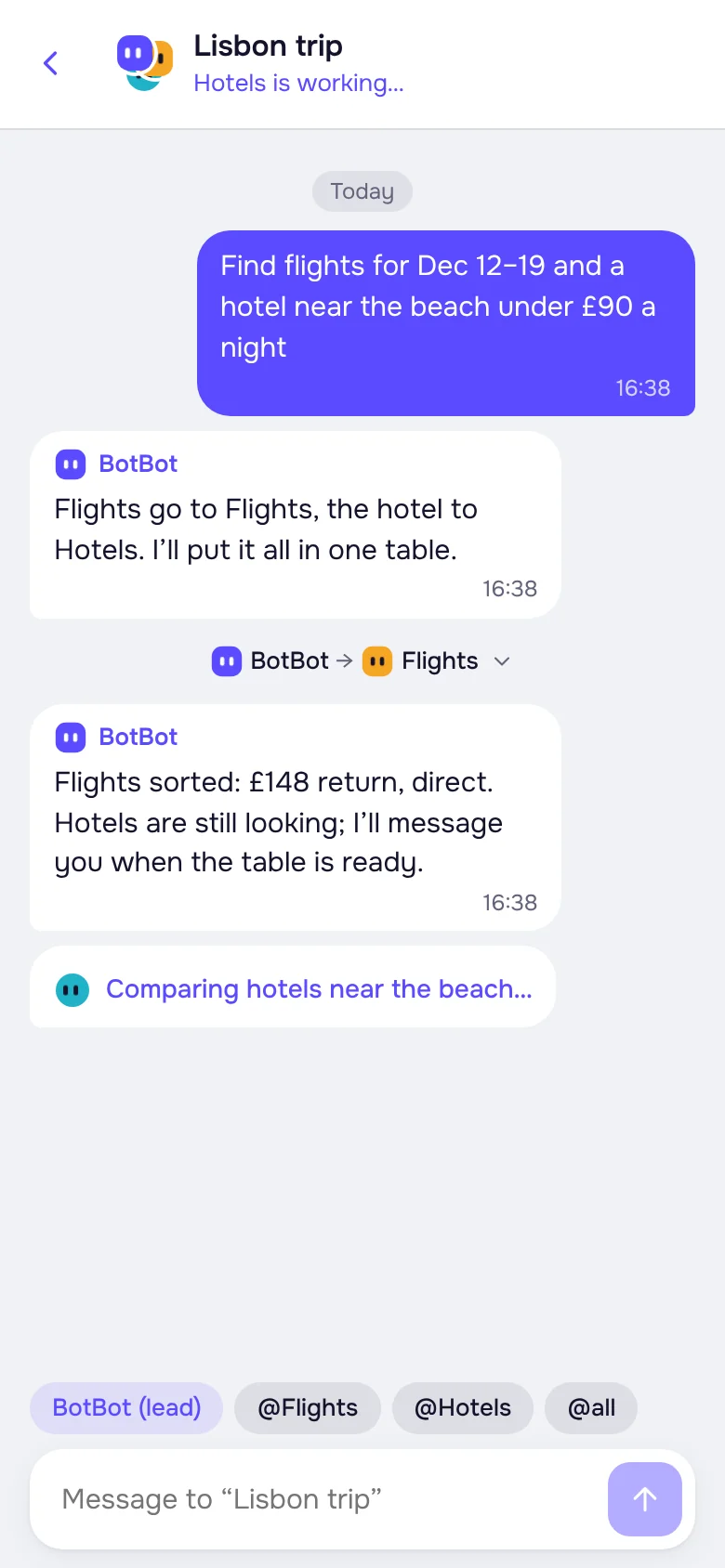
Up to 10 helpers, 3 tasks at oncePRO has up to 20 helpers and 6 tasks. The lead helper doesn’t count.
ProjectsSeveral helpers in one chat for a big job: a vacation, a renovation, a newsletter launch.
Handing off workThe lead hands out tasks, and you see the helpers’ chat with each other.
Helper builderDescribe the helper you need in words, and the builder sets it up: role, skills, schedule.
Ready-made helpers and linksTickets, Jobs, Trip, Email sorting and more. Share your own with a friend by link: your files, memory and Vault stay with you.
A chat like a messengerReplies, reactions, drafts, chat search, a task queue and questions with buttons.
The “Istanbul trip” project: the lead helper handed a task to the Tickets helper
Computer

Its own computer, on 24/7

Every user gets a separate cloud computer with a browser. Helpers work on it even when your devices are off.
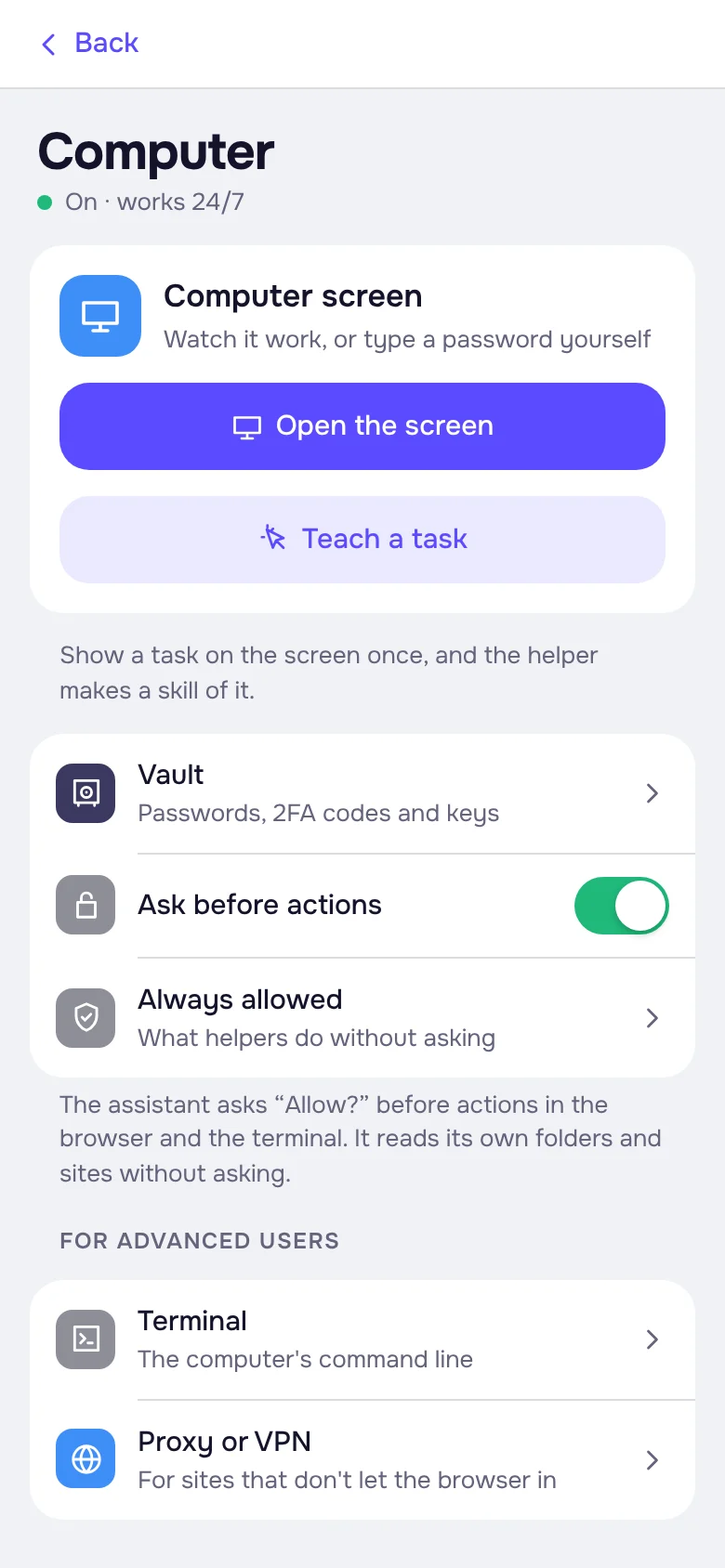
The computer’s screenWatch what the helper does and take over when needed: type a password, pass “I’m not a robot”.
Teach a taskShow a job once on the screen, and the helper writes down how it’s done.
Built-in VPNThe helper’s browser goes online through BotBot’s VPN and opens almost every site. Your own proxy or VPN works too.
A browser of the helper’s ownA helper can sign in to sites with its own accounts and doesn’t see yours.
Files and programsThe computer has room for files and work programs. For the experienced, a terminal.
PRO: a more powerful computerFaster on heavy sites and big files. Files and sign-ins carry over when you switch.
The “Computer” section: screen, “Teach a task”, Vault, questions before actions
Mail

Its own mailbox

A separate address at mail.botbotai.app for sites and letters. Your personal email stays out of it.
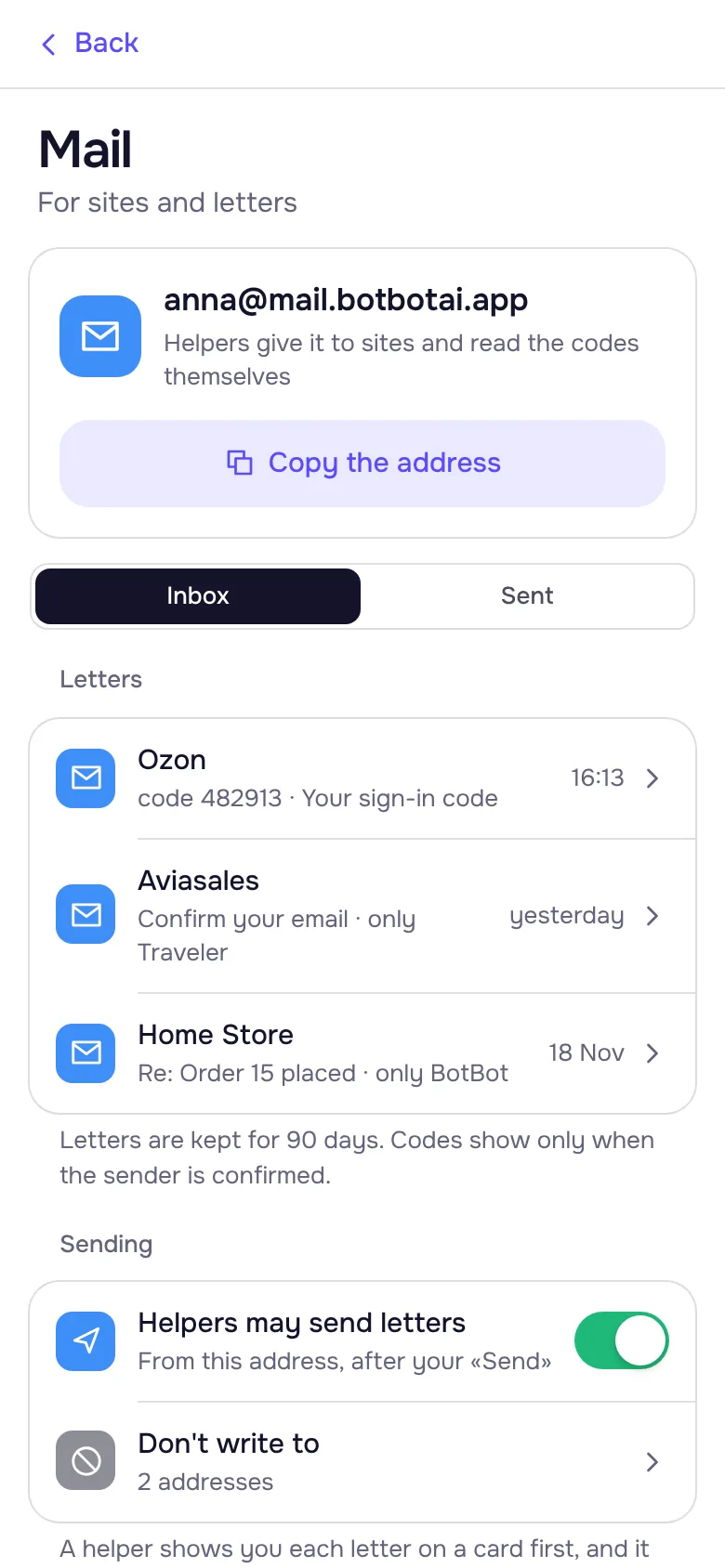
Your own addressAn address like name@mail.botbotai.app. It is only yours and never passes to anyone else.
Sign-ups and codesThe helper gives the address to sites and enters the codes from letters itself. Codes show only when the sender is confirmed.
Writes after your “Send”The helper writes and replies from this address, but shows you every letter on a card first.
Tasks on a letterA regular task can start when a letter comes from the right sender: for example, to answer a shop.
No spamUp to 50 letters a day. Addresses where a letter didn’t get through or was marked as spam go to “Don’t write to”.
All in the appInbox and sent letters are in “Computer → Mail”. Letters are kept for 90 days.
The “Mail” screen: address anna@mail.botbotai.app, a code letter from Ozon, sending letters after your “Send”
Regular tasks and webhooks

Works while you’re away

A task can start on a schedule or on a webhook: when something happens in another service.

Schedules in words“Every morning”, “once an hour”, “weekdays at 9”. As often as every 5 minutes. Each task has its own time zone.
Writes only when it mattersIf there’s nothing new, the helper stays quiet.
History and calendarA month calendar shows when a task ran, how it ended and when it runs next.
Start on a webhookThe task gets a webhook address. A website, a form, n8n, GitHub or any service can call it.
Protection for webhook tasksYou don’t see what came in from outside, so BotBot’s protection checks every step of such a task. Files don’t leave.
MutedMake a task or a helper quiet: questions and errors still come through.
Website leadson a webhook · on

Webhook address

https://botbotai.app/hook/7k2mxq4abz…
Paste it into a form on your website, n8n or GitHubCopy

Recent runs

Lead from “Summer Studio”: checked the company, reply draft ready14:02
Lead from J. Smith: budget up to $600, draft ready11:47
BotBot’s protection blocked: sending a file outside09:15
Your AI

Any AI of yours, all equal

Helpers work on the AI you choose. You sign in on the service’s own website: we never see the password or the tokens.
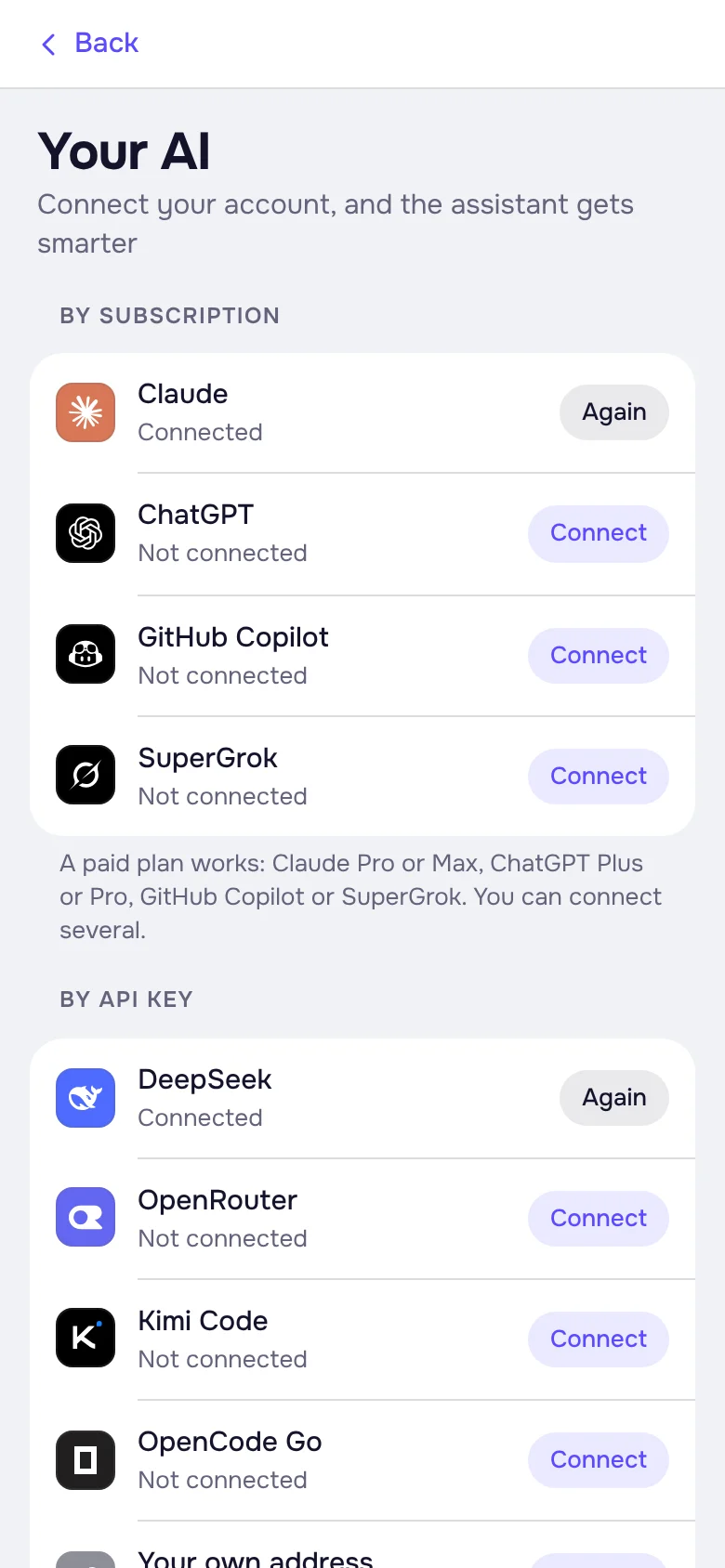
By subscriptionChatGPT Plus or Pro, Claude Pro or Max, GitHub Copilot, SuperGrok. Several at once is fine.
With an API keyDeepSeek, OpenRouter, Kimi Code, OpenCode Go or any OpenAI-compatible service. The key is stored only on your computer.
Each helper picks its AI, model and effortA strong model and deep effort for the Researcher, a fast one for email sorting.
How much is leftThe app shows how much of your AI’s limit is left.
Free backup AIOut of limit? The helper carries on with the free AI and tells you when yours is back.
Switched AI? Everything staysMemory, skills, files and regular tasks belong to the helper, not to the AI.
The “Your AI” screen: by subscription and with an API key
Services and skills

Your services, skills and memory

The helper works with your accounts and learns to do things the way you’re used to.

Over 40 servicesEmail, calendar, notes, tasks, Gamma, Notion, Yandex Mail and Calendar. Sign in to your own account, no keys.
Built-in skillsWord, Excel, PDF, PowerPoint, spreadsheets, charts and visual answers.
Your own skillsAdd a skill by a GitHub link, and the helper installs and sets it up itself.
MemoryThe helper remembers habits, addresses and preferences. You can open, edit and clear its memory.
RulesWrite how the helper should work: the tone of emails, sources, what never to do.
Catalog: ready-made helpers and services by section
Files and pages

Files, voice and pages

Send anything, get the result in a handy form.
Files, photos, albumsDocuments, screenshots and archives in a helper’s or project’s chat.
By voiceThe helper understands voice and video messages and can answer by voice.
Ready documentsExcel tables, presentations, PDF, Word and charts arrive as files.
ImagesIf your AI can draw, the helper sends the image to the chat.
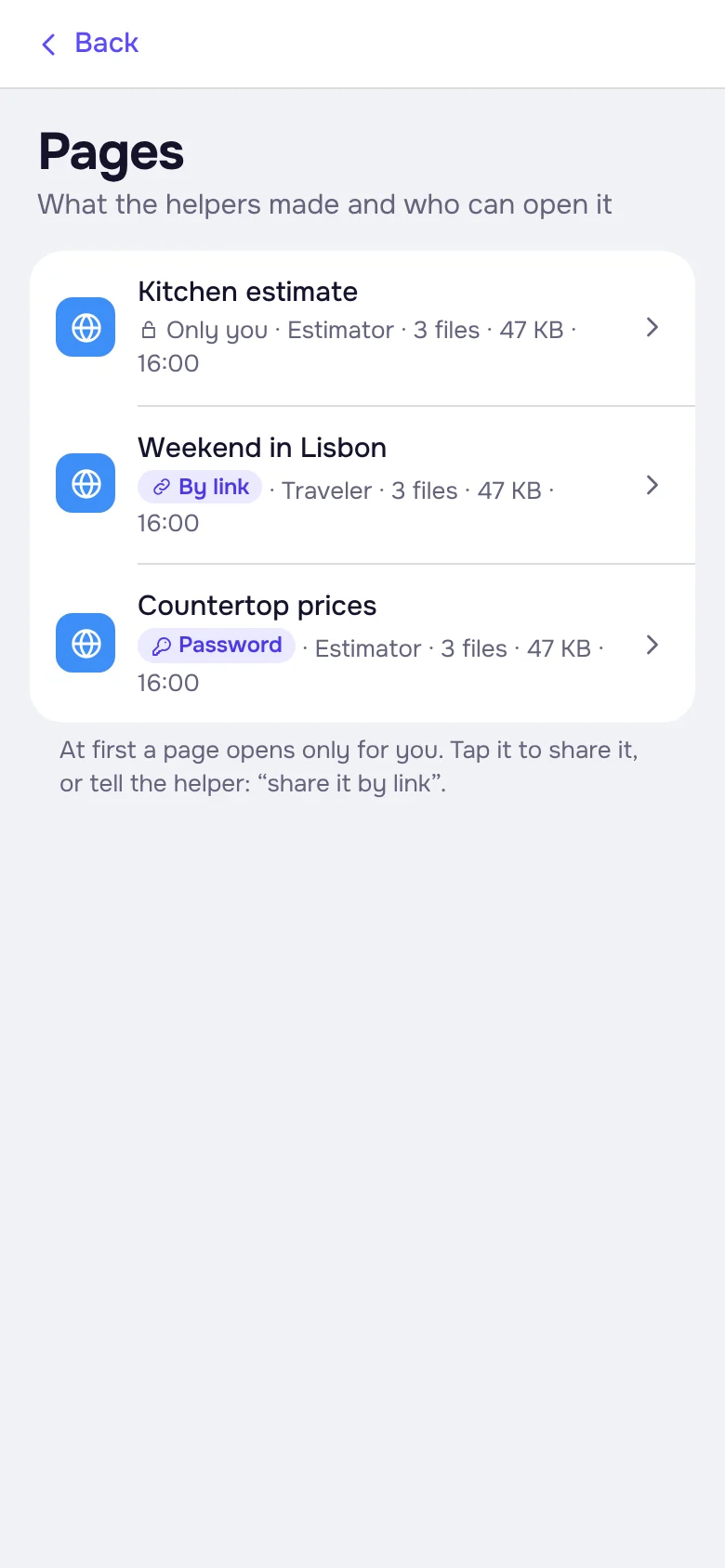
PagesA report or a shortlist as a web page: just for you, by link, or by link and password.
Library and “Download my data”Media, files, links and pages of each helper in one place. Download it all as an archive.
The “Pages” screen: who can open each page
Control and protection

You decide, your data stays locked

The helper asks before important actions, and everything secret is stored encrypted.

Asks before actingBefore it clicks, sends or buys. Allow routine actions in advance, for all helpers or just one.
VaultPasswords, 2FA codes and keys. The helper fills them in on a site or in a program but never sees them.
The “Stop” buttonStop a task at any moment.
EncryptionThe Vault, service sign-ins, proxies and webhooks are stored encrypted in the database (AES-256-GCM). The Vault has its own key.
No keys on diskEncryption keys exist only in the server’s memory, not in backups.
Files and backupsChat files, computer archives and nightly database backups are encrypted.
Sign-ins as hashesSign-in tokens and page passwords (scrypt) can’t be read back, even by us.
We don’t store cardsPayments are handled by payment services. Connections are HTTPS only.
Delete everything“Subscription → Delete account”: the computer, files and records are deleted right away.
Flight search · London — Istanbul · December 12
07:40 · direct$98
11:15 · direct$119
Book the ticket for $98?
AllowDecline
Helper is working · looking for flightsStop
Where it works

One account everywhere

The same helpers, chats and projects in the browser, in the apps and in Telegram.
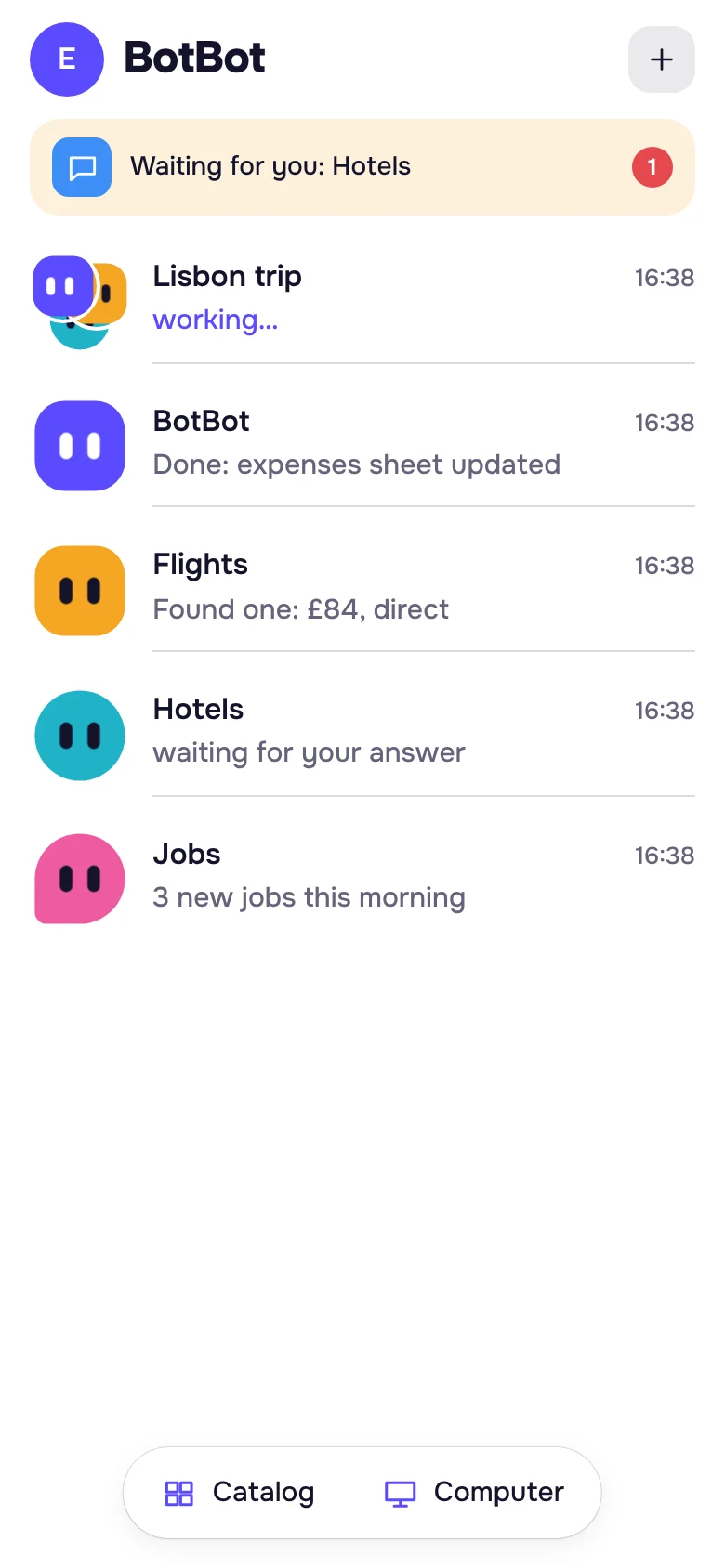
Web versionIn any browser on a computer or phone. No Telegram needed.
AndroidA notification when a helper is waiting for your answer. Coming soon to Google Play, for now from the website.
macOS and LinuxThe helper’s screen in a full window, drag-and-drop files.
TelegramOne chat with @botbot_ai where each helper signs its messages; all chats are in the app inside Telegram.
In any chatType @botbot_ai in a chat with a friend: at first only you see the answer.
Coming soonWindows and iPhone.
The app on a phone: the project and helpers in one list
A project chat on a phone

Try it on your own task

3 days free, no card. Connect your AI or start with the free one.

Start free